Agents in Your Pocket: Containers All the Way Down
I've had a homelab running for a while now — the usual pile of self-hosted services, dashboards, and small projects that anyone in this hobby ends up accumulating. Most additions to it follow the same pattern: something breaks, I fix it, or something looks interesting, I stand it up, and the pile grows by one. This post is about the addition that didn't follow that pattern — the one that actually changed how I work day to day.
It's this: I can pull out my phone during my commute to work by rickshaw, open Termius, SSH into my sandbox over the tailnet, and Claude Code is just there. Same shell. Same half-finished thought from this morning. Same memory of every decision we hashed out last week, because the agent and its context live on a machine that never goes to sleep — they're not bound to whichever laptop happens to be open in front of me. That personal $20 Claude Pro account, and those Jio/Airtel subsidized Gemini/OpenAI accounts aren't going to waste.
That's the throughline for everything that follows: a phone, an SSH client (Termius or JuiceSSH on Android), a (free) Tailscale connection that doesn't care whether I'm on home wifi or 5G in transit, and a coding agent sitting on the other end with centralized memory of everything we've already worked out. No "let me get back to my desk and re-explain the whole problem." The session just continues.
Getting there meant gluing together a few distinct layers — a sandboxed environment, a tunnel to reach it from anywhere, a Kubernetes cluster running inside that sandbox, and an agent that knows how to talk to all of it. None of these pieces is exotic on its own. The interesting part is how they stack. So let's start at the bottom and work up: phone → tailnet → sandbox → agent. Here's the first layer.
Layer 1: the sandbox
Underneath all of it sits a single Ubuntu 24.04 machine, running not as a VM and not as a bare Docker container, but as a systemd-nspawn container inside my Linux Mint host. I'll just call it the sandbox — it doesn't need a cuter name than that, and giving it one would only make this post harder to anonymize than it needs to be. (If you ssh into it, the prompt might say something like shirish@artermis:~$ — but that's a label for a terminal session, not a name I think of the box by.)
Why systemd-nspawn instead of the two obvious alternatives? Because it sits in exactly the spot I wanted. A full VM gives you total isolation, but you pay for it in a virtualization layer — you're emulating hardware, carving out dedicated memory, running a second kernel. systemd-nspawn skips all of that. It's namespacing a userspace on the same kernel, which means near-native performance; there's no hypervisor tax to think about. Bare Docker goes the other direction — it's fast and lightweight, but what you get is closer to a process jail than a machine: no real init system, no systemd, no natural notion of "this is its own OS." systemd-nspawn splits the difference. You get something that's lighter than a VM and meaningfully more "a real machine" than a container — its own PID 1, its own systemd, its own service manager, its own process tree. It boots like an OS because, in every way that matters from the inside, it is one.
Building it was refreshingly low-ceremony, and this is the part I actually enjoyed digging into. The whole thing starts with debootstrap. Point it at an Ubuntu (or really any Debian-family) release and a target directory, and it fetches and unpacks just enough packages to produce a minimal, bootable root filesystem — directly onto disk, as a plain directory tree. No ISO, no installer, no answering twenty questions about timezone and keyboard layout. It's the most "just give me a Linux" path I know of.
Once that rootfs exists as a directory, systemd-nspawn is what breathes life into it. You hand it the directory, and it boots that tree as a full lightweight container: its own systemd as PID 1, its own login prompts, its own service manager, its own journaled logs — the works. From there, machinectl takes over as the day-to-day handle: start it, stop it, shell straight into it, list what's currently running, all the verbs you'd expect for managing a named machine. Put together — debootstrap to lay the floor, nspawn to boot it, machinectl to drive it — and the result genuinely feels like SSH-ing into a separate Ubuntu box sitting on the same rack. Which, functionally, is almost exactly what it is.
There's one detail I find oddly satisfying, a small crack that shows you the machinery underneath without breaking the illusion. Run hostnamectl from inside the sandbox and it'll happily tell you Virtualization: systemd-nspawn — no pretending otherwise. And if you go looking at what filesystem you're actually sitting on, it reports back as /dev/mapper/vgmint-root. That's not a fresh, sandbox-flavored volume — that's the LVM volume group named after the host's Mint installation, mounted straight through. One device name, and suddenly you can see exactly whose floor you're standing on. (Your own, as it happens — but it's a nice reminder that the floor is shared.)
Here's roughly how the layering looks:
┌─────────────────────────────────────────┐
│  Linux Mint host  (vgmint-root)         │
│  ┌───────────────────────────────────┐  │
│  │  sandbox — Ubuntu 24.04           │  │
│  │  (systemd-nspawn container)       │  │
│  │                                   │  │
│  │  full systemd, own process tree,  │  │
│  │  own network stack, own users,    │  │
│  │  own walls — host unreachable     │  │
│  └───────────────────────────────────┘  │
└─────────────────────────────────────────┘
So what does that boundary actually buy me, day to day? In practical terms: from inside the sandbox, I can't reboot or shut down the host machine. I can't see what else is running on it, can't peek at other users' files, can't reach across to whatever else that Mint box is quietly doing in the background. As far as the sandbox is concerned, the host simply isn't there to be touched.
Which matters more than it might sound, because the whole point of this setup is to let an agent run more or less unsupervised on that machine — including from my phone, where I'm not always watching closely. If something goes sideways — an over-eager rm -rf, a fork bomb, an agent deciding systemctl poweroff looked like a reasonable troubleshooting step — the damage stops at the walls of the sandbox. It can trash itself thoroughly. It cannot reach out and trash the laptop underneath it. That's the guarantee that lets me hand an agent real autonomy without flinching every time I put my phone back in my pocket.
So the sandbox is safely walled off from the host. But a walled garden you can't get into from the bus is just a more elaborate paperweight. The next problem is reachability — and the way I solved it also happens to be the thing that makes the "phone in my pocket" framing more than a nice opener.
Layer 2: the tunnel
Let's get the security stance out of the way first, because it shapes everything downstream: nothing in this homelab is exposed to the public internet. Not in the "well, technically, but it's behind a firewall" sense — I mean it plainly. There's no port-forwarding rule on my router pointing at any of this. There's no public ingress. There's no DNS record anywhere on the open internet that resolves to an IP with a port sitting there waiting for strangers to knock on it. If you're not on my private network, this cluster does not exist as far as you're concerned. That's the stance, full stop, and it's the one I'd recommend to anyone running a homelab who'd rather not spend their evenings reading intrusion logs.
The "private network" doing the work here is Tailscale — a mesh VPN built on WireGuard, the kind of thing people informally call a "tailnet." The pitch is almost suspiciously simple: every device you enroll — laptop, cluster node, phone, whatever — gets pulled onto the same private network, and from that point on they can all reach each other directly, by a stable address, regardless of what physical network each one happens to be sitting on. My laptop on home wifi, the sandbox tucked inside the Mint box, my phone on a cellular connection somewhere on a bus — Tailscale doesn't care. They're all just neighbors on the same private mesh. That's the thing that turns "homelab" from "stuff on my home network" into "stuff I can reach from anywhere," without ever opening a single port to the world.
So how do tailnet devices actually get to services running inside a Kind cluster sitting inside a sandbox sitting inside a host? With a small forwarding sidecar — a tailscale/tailscale container running in host network mode, whose only job is to take traffic arriving on certain tailnet ports and hand it straight to the right 127.0.0.1 host-port mapping that Kind already publishes. The mapping itself is about as plain as config gets — a ts-serve-config.json that says, in effect, "whatever shows up on tailnet port 443, forward to localhost:8448; whatever shows up on tailnet port 80, forward to localhost:8088":
{
  "TCP": {
    "443": { "TCPForward": "127.0.0.1:8448" },
    "80":  { "TCPForward": "127.0.0.1:8088" }
  }
}
That's the entire trick. The tailnet hands the sidecar a connection on :443, the sidecar hands it to 127.0.0.1:8448, and from there it's just an ordinary Kind port mapping doing what Kind port mappings do — landing the traffic on a containerPort inside the cluster, where Envoy Gateway picks it up and routes it onward by hostname. No public listener anywhere in that chain. The only thing standing between "the internet" and this cluster is the fact that the internet was never invited onto the tailnet in the first place.
The last piece is DNS, and it's almost anticlimactic in how little there is to it: one wildcard A record in Cloudflare, *.cluster.<domain>, pointing at the node's Tailscale IP. That address is stable — Tailscale keeps assigning the same one as long as its state directory survives, which on this box it always does — so the record is something I set up once and then never have to think about again. Spin up a new service tomorrow, give it a hostname under cluster.<domain>, and it just resolves, correctly, to the same private address, with zero additional DNS work. The wildcard does all the future labor up front.
Here's the full request path, from a tailnet device down to whatever's actually serving the response:
 Phone (Termius/JuiceSSH)        Browser (any tailnet device)
        │  SSH : 22                      │  HTTPS : 443
        └───────────────┬────────────────┘
                         │
                  Tailscale (tailnet)
                         │
                         ▼
              host:22         host:8448
                 │               │
                 │               ▼
                 │      Kind port mapping → containerPort 30443
                 │               │
                 │               ▼
                 │      Envoy Gateway (wildcard TLS)
                 │               │
                 ▼               ▼
            sandbox       n8n / grafana / glance / ...
            (SSH login,
             herdr, agents)
And here's the part I actually want to land on, because it's easy to read all of the above as "neat networking trick" and miss that it's the same trick twice. Look at the left-hand branch of that diagram — SSH : 22, straight down to the sandbox. That is not a separate, parallel piece of infrastructure I happen to also run. It is the exact same tailnet, the exact same mesh, the exact same private network that Termius and JuiceSSH use to drop me into a shell on the sandbox in the first place. One mesh, one set of enrolled devices, two completely different jobs: on the right, it's how my phone's browser opens a dashboard at some *.cluster.<domain> address; on the left, it's how that same phone SSHes into the machine where the agent lives. Same private network. Same phone. Same app ecosystem, really — the thing that gets me a tunnel into Grafana is the thing that gets me a terminal.
That's what closes the loop on the throughline from the start of this post: phone → tailnet → sandbox → agent. The tailnet isn't just "how I check on services from afar." It's the literal wire connecting the phone in my pocket to the shell the agent lives in. Everything else — the sandbox boundary, the cluster, the agent's tools — is reachable because this layer exists, and it's reachable from exactly the same place I'd reach it from if I were sitting at my desk. The bus is just another node on the mesh.
So the wire is in place. Phone reaches tailnet, tailnet reaches sandbox, sandbox has a shell with an agent in it. What's actually running on the other end of that shell — the thing all of this plumbing exists to serve — is a Kubernetes cluster. And it's at this point that the "containers all the way down" idea from Layer 1 stops being a cute aside and starts paying rent.
Layer 3: the cluster
Here's the reveal I've been quietly setting up since the start: the cluster running inside the sandbox is a Kind cluster — Kubernetes IN Docker — and a "node" in a Kind cluster is, itself, just a Docker container. Not a VM pretending to be a node, not some special lightweight stand-in. An actual container, with a name like codespace-control-plane, running kubelet and the rest of the control plane inside it like it's any other host. If you've been keeping a running tally of the containment stack since Layer 1, here's where it lands: Linux Mint host → systemd-nspawn sandbox → Docker daemon (running inside that sandbox) → Kind node container → kubelet → pods. Five floors, and every single one of them is some flavor of "an OS-ish thing wrapped inside another OS-ish thing."
And this is exactly the pattern Layer 1 was warming you up for. Remember the sandbox itself — its own PID 1, its own systemd, its own process tree, walled off cleanly enough that the host underneath simply isn't reachable from inside it, looking from the inside like a real machine and from the outside like a contained one? Kind does the same trick, one level up: it takes something that normally wants to be a real machine — a Kubernetes node — and runs it as a container, with its own systemd-ish init, its own kubelet, its own little world, sitting inside a Docker daemon that's itself sitting inside an nspawn container that's itself sitting inside a host. The pattern doesn't just repeat — it repeats with the exact same shape: something that looks like an OS from the inside, boxed up as a process from the outside. Once you've seen it once, the second time isn't a surprise. It's just confirmation that "containers all the way down" wasn't a joke — it was a description of how this whole thing was always going to be built.
With the cluster itself running, the rest is just the usual business of making a Kubernetes cluster into a place you'd actually want to run things. TLS, for instance, is handled once and never thought about again: Envoy Gateway — a Gateway API implementation — terminates TLS for the entire *.cluster.<domain> wildcard, and cert-manager handles the unglamorous half of that job, automating certificate issuance and renewal via Cloudflare DNS-01 challenges. The whole arrangement boils down to one small object that says "here's the wildcard I want covered, here's who knows how to prove I own it":
apiVersion: cert-manager.io/v1
kind: Certificate
metadata:
  name: cluster-wildcard-tls
spec:
  secretName: cluster-wildcard-tls
  dnsNames:
    - "*.cluster.<domain>"
  issuerRef:
    name: cloudflare-dns01
    kind: ClusterIssuer
That ClusterIssuer is the part doing the actual work: it holds the Cloudflare API token, answers the DNS-01 challenge by dropping a TXT record under the hood, and cert-manager renews the resulting certificate on a schedule, no calendar reminders required. Put the Certificate and the Gateway together and you get a single cert that covers every subdomain under that wildcard, present and future. Which means the moment of "I want to add a new app to the cluster" never involves a moment of "now let me go sort out its certificate" — it's just an HTTPRoute. No cert changes, no gateway changes, ever. The TLS question got answered exactly once, in one small YAML file, and it stays answered.
Storage gets the same "solve it once, stop thinking about it" treatment, courtesy of CloudNativePG — CNPG for short, an operator that runs a single-instance PostgreSQL 17 with the pgvector extension as the shared datastore for the cluster. Anything that needs persistent storage, or needs to do vector search — n8n, the lab's own custom app, whatever shows up next — points at the same Postgres instance and gets both relational tables and vector embeddings out of the same box. One operator, one database, one less thing to provision from scratch every time something new needs somewhere to put its data.
Then there's the observability backbone, which is less a single tool than a small assembly line: kube-prometheus-stack and the Grafana Operator set up Prometheus and Grafana as managed, declarative pieces of the cluster rather than things you hand-roll and hope to remember how you configured. Promtail tails logs across the cluster and ships them off to Loki, which runs in single-binary mode — no need for a distributed log store when one box is doing all the work. Metrics flow through Prometheus the way they always do. And Grafana sits on top of both, the single pane of glass where logs and metrics live in the same dashboards, queryable side by side, instead of two separate tools you have to mentally cross-reference.
None of this is reachable from outside the tailnet — that ground was covered thoroughly back in Layer 2 — but I still treat every namespace as if it might be. Pod Security Standards are applied across the board, set to enforce=baseline with warn and audit at restricted, and every namespace gets a default-deny-ingress NetworkPolicy with explicit per-path allow rules carved out for whatever actually needs to talk to what. Is any of this strictly necessary on a cluster that's already walled off behind a tailnet that's already walled off behind a sandbox? No. But "strictly necessary" is the wrong bar. This is defense in depth as a habit — the same instinct that makes you lock your front door even though you also live behind a gate. You do it because doing it by default is cheaper than remembering to do it the one time it would have mattered.
And then there's the part that ties this whole layer back to the phone in my pocket: k9s. It's a terminal UI for managing a Kubernetes cluster, and it turns out to be the perfect complement to "phone as terminal." SSH into the sandbox from Termius, fire up k9s, and suddenly you've got a live, navigable, full-cluster dashboard sitting right there in your terminal — every pod, every log stream, every resource, all of it browsable in real time, with none of the usual kubectl get this | grep that | kubectl describe the-other-thing spelunking. You arrow around, you drill in, you watch things change as they happen. It's the cluster, rendered as something you can actually look at, from a phone, on a bus. The sandbox fits in your pocket. Turns out the cluster does too.
The lab tour
The cluster fits in your pocket — but a pocket-sized cluster only matters because of what's actually running on it. So here's the other side of all that plumbing: the stuff I open, click around in, and occasionally lean on to get real work done.
The front door and the wiring
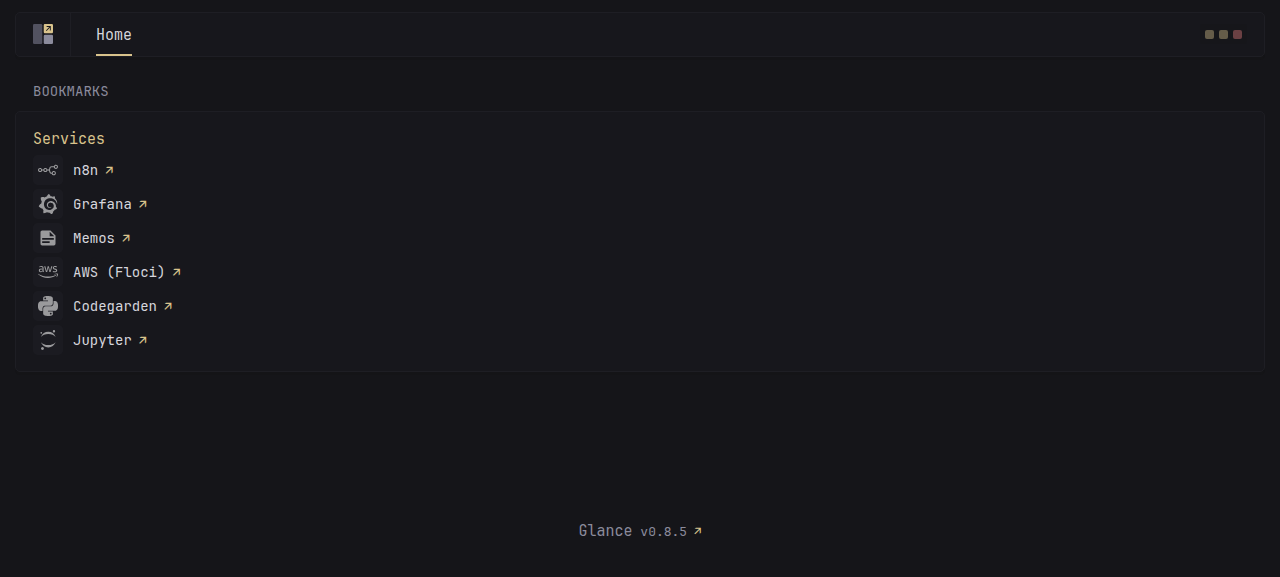
Everything starts at home.cluster.<domain>, which is Glance — a single-page home dashboard that's deliberately unambitious. One page, one bookmarks widget, a link to every other service in the lab. That's it. That's the whole pitch. It doesn't aggregate metrics, it doesn't try to be a second Grafana, it doesn't nag you about updates. It's just the front door: the thing you actually open first, the page that says "here's everything else, go pick one."
Behind that front door, holding a lot of it together without ever putting itself on display, is n8n — workflow automation that quietly wires the rest of the lab together. Webhooks, schedules, integrations between services that otherwise wouldn't know the others exist: that's n8n's whole job, and it does it from a visual canvas where you drag boxes around and connect them with lines until something useful happens on a timer or in response to an event. It's the kind of tool that, once it's running, you mostly forget is there — right up until you need to add one more "when X happens, do Y" rule, and you remember exactly where to go.
Keeping an eye on things
The observability backbone got its full introduction back in Layer 3 — kube-prometheus-stack and the Grafana Operator doing the unglamorous work of keeping Prometheus and Grafana declarative and managed, Loki and Promtail handling logs, all of it converging on Grafana as the single pane of glass. Here's that pane, in practice:
(That's a login screen, not a populated dashboard — Grafana wants its credentials before it shows you anything interesting, which is exactly the behavior you'd want from something sitting in front of your metrics and logs. The dashboards are on the other side of it.)
And for the moments when a dashboard is overkill and what you actually want is to just... write something down — a stray idea, a command you don't want to forget, a half-formed plan for the next thing to build — there's Memos. It's a self-hosted notes app, the kind of private, sync-everywhere scratchpad that used to mean "a notes app from some company that might shut down next year." This one lives in the cluster, syncs to whatever device you open it from, and answers to nobody but you.
The playgrounds
The rest of the lab is where things get built and broken on purpose — the spaces set aside for trying things out without consequence.
First among them is Floci, an AWS emulator that stands in for S3, DynamoDB, SQS, SNS, and a few dozen other services besides. It's a sandboxed AWS — a place to build and test against real-shaped APIs without touching a real account, a real region, or a real bill. There's no screenshot for this one, because there's nothing to look at: it's purely an API surface, the kind of thing you talk to from code rather than click around in. But it earns its place in the lab precisely because of that — it's infrastructure you can throw requests at and tear down without a second thought.
Then there's Jupyter — JupyterLab, specifically, running with both Python and Deno kernels side by side. That second part matters more than it sounds: it means notebooks in this lab can run JavaScript and TypeScript as first-class citizens, not as some awkward bolt-on to a Python-shaped tool. Sketch out an idea in TS, plot something in Python, mix and match in adjacent cells — the kernel boundary stops being a constraint and starts being a choice.
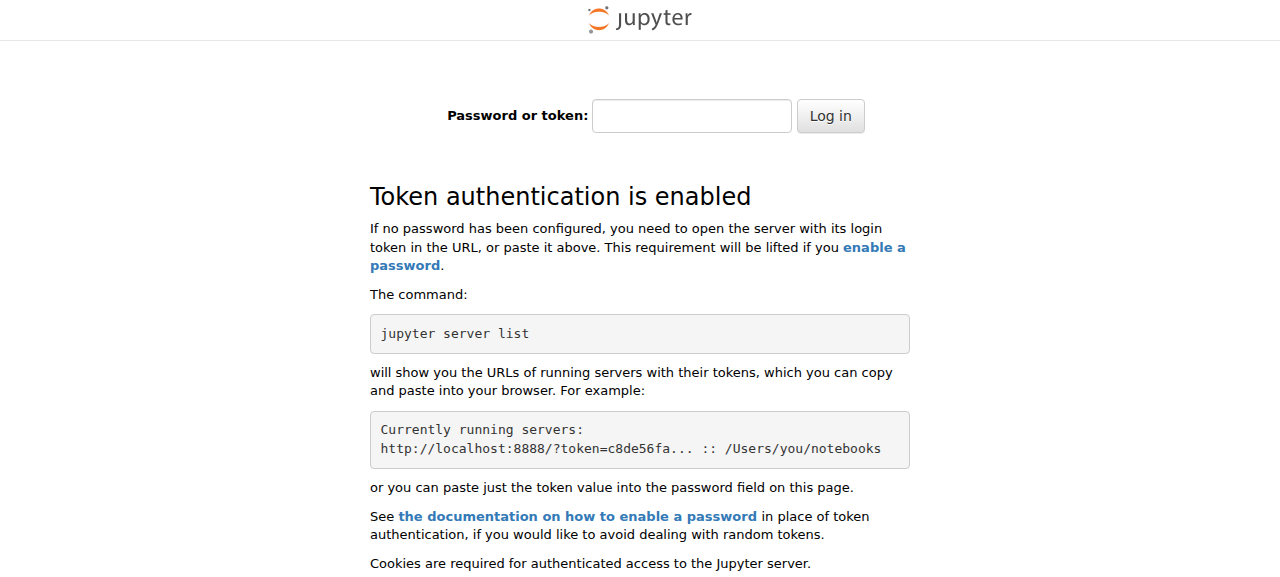
(Like the Grafana shot above, this one catches Jupyter at its token-entry screen rather than mid-notebook — another case of "the interesting part is one click further in," and also, frankly, a fair reflection of how often I'm staring at that exact screen trying to remember where the token landed.)
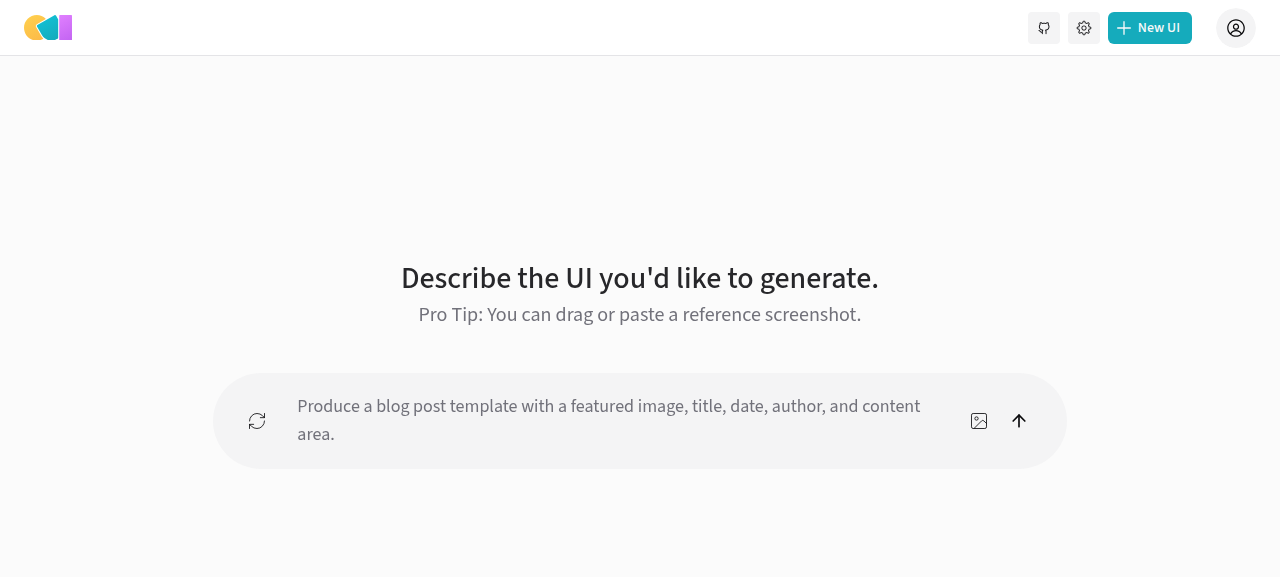
Sitting next to Jupyter, doing something adjacent but stranger, is OpenUI — an AI-powered UI builder. Describe an interface in plain language and it hands you back live HTML or React, rendered right there for you to poke at. It runs against your own configured LLM key, so the "AI" part isn't a black box humming away on someone else's infrastructure — it's the same kind of model access you'd wire up for anything else, pointed at a tool whose entire job is turning descriptions into interfaces.
The proof of the whole exercise
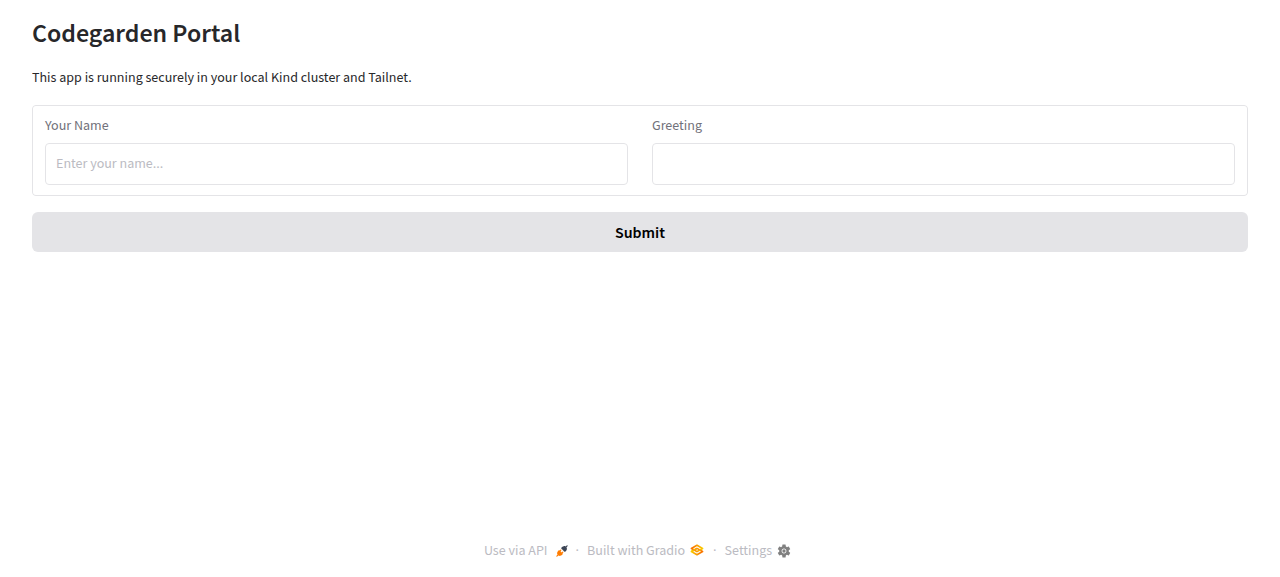
And last — but in a sense, first in importance — is Codespace: the lab's own custom app, a small dynamic Python portal built with Gradio. On its face it's nothing special — a handful of pages, some interactive widgets, the kind of thing you'd knock together in an afternoon. But that's exactly the point. It exists to answer one question: is "add my own thing to the cluster" a comfortable, repeatable workflow, or a special occasion that needs its own runbook? Codespace is the proof that it's the former — write the app, containerize it, point an HTTPRoute at it, and it just shows up under *.cluster.<domain> next to everything else. Envoy Gateway and cert-manager hand it TLS without being asked twice, CNPG is right there if it ever wants a database, the default-deny NetworkPolicy is already wrapped around its namespace, and Glance picks it up in its bookmarks widget like it had always been there. No ceremony. Just one more tile on the front page.
That's the tour — front door, wiring, instruments, playgrounds, and the one piece I built myself to make sure the door stays open for whatever comes next. And under every single tile in it: k9s, one keystroke away in the same terminal session, ready to show you exactly what's happening underneath the page you're looking at.
The agents in the box
Which brings us back to the thing this whole post has been quietly walking toward: the terminal itself, and what's living in it.
Open a shell in the sandbox and you'll find not one coding agent but three, sitting side by side like tools on a bench. There's claude — Anthropic's agentic coding CLI, the one I reach for most and the one that opened this post. There's codex — OpenAI's entry in the same space, a coding agent you talk to from the command line in roughly the same shape. And there's agy — Antigravity, Google's Gemini-based agentic coding CLI, rounding out the set. I'm not going to tell you which one's "best," because that's not really the point and the honest answer is "it depends on the day." The actual point is simpler and a little more fun: why pick one, when the sandbox has room to host all three? Different agents have different strengths, different quirks, different moods on different days — and a sandbox doesn't care how many tenants it has. So it has three.
And "the sandbox has room" is doing more work in that sentence than it looks like. An autonomous coding agent with real shell access is, definitionally, a thing that wants to run — to read files, write files, execute commands, install things, try stuff and see what breaks. That's the entire value proposition and also, if you squint, the entire risk profile: you're handing a piece of software the keys to a real shell and trusting it to drive responsibly. Layer 1 is the answer to that trust question before it even gets asked. The sandbox can't see the host, can't touch the host, can't reach across to whatever the Mint box is quietly doing underneath it — the blast radius stops at the container wall, full stop. Which means an agent in here can be genuinely autonomous, can run long unattended stretches, can take swings at hard problems without me hovering over every command — because the worst case was already designed away, two layers down, before any of these CLIs were ever installed.
Given all that running room, the next problem is the one this whole post has been circling: how do you actually get back to an agent that's mid-thought, instead of starting it cold every time? That turns out to have three different answers, and they're worth taking one at a time — because each one solves a genuinely different flavor of "where was I?"
The first is the session itself — the literal terminal, with everything in it exactly as you left it. That's herdr, a terminal workspace manager built with AI agents specifically in mind. It keeps persistent named sessions that you can re-attach to over SSH from anywhere, and it tracks each agent's live state — working, idle, blocked — through integration hooks, so you can tell at a glance whether an agent is still chewing on something or sitting there waiting for you to weigh in. SSH back into the sandbox from the bus, point herdr at the session you left running, and what comes back isn't a fresh shell with a blinking cursor — it's the exact session, agent mid-thought, scrollback intact, like you never left. That's "resume where I left off" stopped being a figure of speech and became a literal terminal command.
The second is knowledge, and it lives a layer up from the terminal. Claude Code's centralized memory persists project context, decisions, and learnings across sessions — not tied to a particular pane or a particular machine, just there, waiting. So even a brand-new session, started cold from my phone on a route I've never taken before, isn't actually cold: the agent already remembers the shape of the cluster, the choices we made and why, the things we tried and where they landed. You're reading a small demonstration of exactly that right now — this post itself, this section included, was written by an agent informed by memory of the cluster work that came before it. Not re-explained. Remembered.
The third is continuity that survives switching agents entirely, and this is where Superpowers comes in — a skills framework that gives an agent a structured way to work through a problem: brainstorm a design, write it down as a spec, turn the spec into a plan, execute the plan, then review the result. I've installed it across all three CLIs in the sandbox — as a plugin under ~/.claude, dropped into ~/.gemini/config/plugins/superpowers/ for Antigravity, and sitting in ~/.codex/skills/ for Codex — and that turns out to matter more than it sounds, because the design docs and plans that come out of that workflow get committed to git as the work progresses. Which means switching from one agent to another mid-task — because one's run low on credits, say, or because a different model just feels right for the next stretch of the problem — doesn't mean starting over. The next agent doesn't need a recap. It opens the repo, reads the spec the last one wrote, reads the plan, and picks up the thread exactly where it was dropped. This very post is the proof of that loop closing on itself: there's a spec for it and a plan for it, sitting in the repo right now, and what you're reading is the "execute" step of exactly that process.
I want to dwell on that last one for a second, because it's genuinely changed how I work with these tools, and I don't say that lightly. Before Superpowers, "ask an agent to do something" meant exactly that — you typed a request, it went off and did something, and you found out how close that something was to what you meant only after the fact. Now it's a process with actual shape: brainstorm, spec, plan, execute, review — the same five beats, every time, regardless of which CLI happens to be running it. That structure is the difference between delegating a task and collaborating on one. And the fact that it's open enough to install across every agent in the sandbox, rather than being welded to one vendor's CLI, is a big part of what makes it valuable to me specifically — because my setup was never going to be a one-agent setup. It was always going to be three CLIs on a bench, and Superpowers is the one piece of tooling that makes all three of them speak the same process.
Which, in the end, is what closes the loop this whole post has been walking around since the opening line. Phone reaches tailnet. Tailnet reaches sandbox. Sandbox holds the shell, walled off cleanly enough that an agent can run loose in it without putting anything else at risk. And in that shell: three agents, a session manager that hands you back exactly where you left off, a memory that means the agent never forgot in the first place, and a shared workflow that means it doesn't matter which of the three picked up the thread. Phone → tailnet → sandbox → agent. Pull it out on the bus, and the whole chain is just... there, waiting, mid-thought, same as you left it.
Stack it all up and count the floors: a Linux Mint laptop, with a sandbox living inside it, with a Docker daemon living inside that, with a Kind node container living inside the daemon, with pods living inside the node. Five layers of "machine inside a machine," and not one of them is for show — pull any single one out and the thing above it has nowhere to stand. And the part that still mildly amazes me every time I think about it directly: every floor of that tower is reachable, right now, from the same private mesh that also reaches the phone in my pocket. Not "in principle, with enough VPN configuration." Reachable. Tonight. From a bus seat, with one thumb, mid-conversation with an agent that has no idea I ever left.
Is building a five-layer containment tower just to SSH into a coding agent from the bus a reasonable way to spend a few weekends? Almost certainly not. Could I have gotten ninety percent of the value from a laptop, a terminal, and slightly more discipline about closing my work day properly? Probably. Did I do it anyway, and do I now check on a Kubernetes cluster from my phone the way other people check sports scores? Also yes. I've made my peace with that. The chain works, the agent remembers, and somewhere under five layers of containers, on a machine that never sleeps, the cursor is exactly where I left it — blinking, patiently, for whenever I next reach for my phone.